Free Game Portrait Generator with Templates & AI
FlexClip's free game portrait maker has a complete set of gaming portrait templates, designs and AI editing tools for you to transform a picture, video or just an idea to a fantastic game portrait. Explore premade game portrait templates for easy customizable edits. Or alternatively, you can utilize FlexClip's AI image tools to cartoonize a photo of yours or change image style to another art in just one tap. Browse elaborate photo frames, overlays and more options to personalize your game portrait in no time. Define your game portrait ratio and export it in the format of PNG, GIF or MP4. Try it for free now!
Make a Free Video Handy video editor
 Rich video templates
 Extensive media library
 Dynamic text animations
- Trusted by:






Free Game Portrait Templates with Unique Charm, Taste & Personality
 CustomizeAI Recreate
Futuristic Cyberpunk Dramatic Technology Digital Neon Game Portrait Profile Picture Logo Intro
 CustomizeAI Recreate
Technology Futuristic Game Colorful Circle Portrait Picture
 CustomizeAI Recreate
Photographer Character Portrait Picture Camera Lens Aperture
 CustomizeAI Recreate
Futuristic Technology Red Glowing Lines Lights Abstract Portrait Picture
 CustomizeAI Recreate
Sci Fi Technology Metallic Round Geometric Design Portrait Picture
 CustomizeAI Recreate
Astronaut Tech Future Profile Picture
 CustomizeAI Recreate
Fantasy Flower Aesthetic Portrait Picture
 CustomizeAI Recreate
Game Glitch Laser Neon Circle Profile Picture
 CustomizeAI Recreate
Blue Tech Game Youtube Channel Intro Outro
 CustomizeAI Recreate
Colorful Modern Neon Game Tech Profile Picture
 CustomizeAI Recreate
Gold Fantasy Magic Portrait Picture
 CustomizeAI Recreate
Game Technology Futuristic Abstract Neon Profile Picture
Why You Need to Make a Game Portrait

Share Moments
Making a video story is a great way to share your important moments with family and friends.

Evoke Emotion
A video can convey strong emotion and resonate well with audiences.

Improve Engagement
People are more likely to engage, share, and comment on video content.
How to Make a Game Portrait Video in 3 Steps
- 1
Add Media
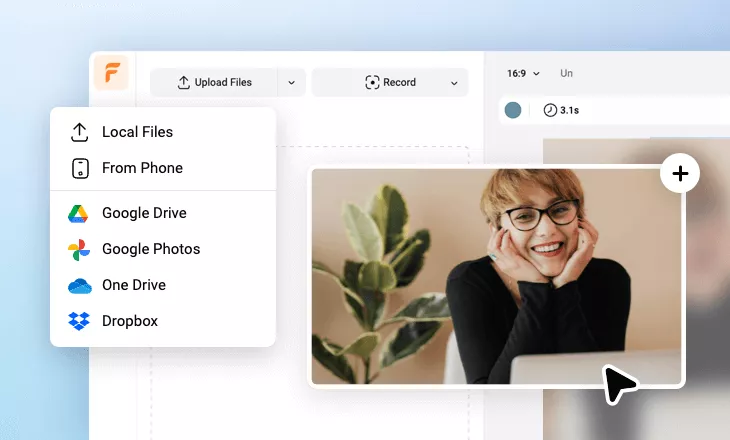
Add videos or photos from computer or stock libraries to the scene.
- 2
Customize
Add text, music, and voiceover to customize your game portrait video.
- 3
Export
Download your game portrait video in various ratios and definitions or share it online with the world.